
Integrations
Connect Strava, Samsung Health, Fitbit, Garmin and other fitness apps through Apple Health or Health Connect.
Use Strava, Samsung Health, Fitbit, Garmin or another fitness tracker? Sparta can read those workouts automatically. You don’t connect each app to Sparta one by one. You connect them all to your phone’s health hub and Sparta reads from there.
Health imports are free, on both platforms.
How it works
Your phone already has a built-in health app:
- iPhone: Apple Health
- Android: Health Connect
Apple and Google built these as a single “hub” on every phone that collects workouts from any fitness app you use. Strava, Samsung Health, Fitbit, Garmin, Nike Run Club and most other fitness apps already send workouts to this hub. Sparta just needs permission to read from it.
Set it up once. Everything flows in after that.
On iPhone: Apple Health
Step 1. Open the Health app. It’s the white icon with a pink heart, already on your phone.
Step 2. Tap your profile picture in the top-right corner, then tap Apps & Services (or Privacy on older versions).
Step 3. Find your fitness app in the list (Strava, Fitbit, Garmin, Nike Run Club, etc.) and tap it. Turn on the toggles for Workouts so that app can write to Apple Health.
Step 4. Open Sparta Fitness, go to Profile → Apple Health and tap Connect. Allow all the permissions it asks for.
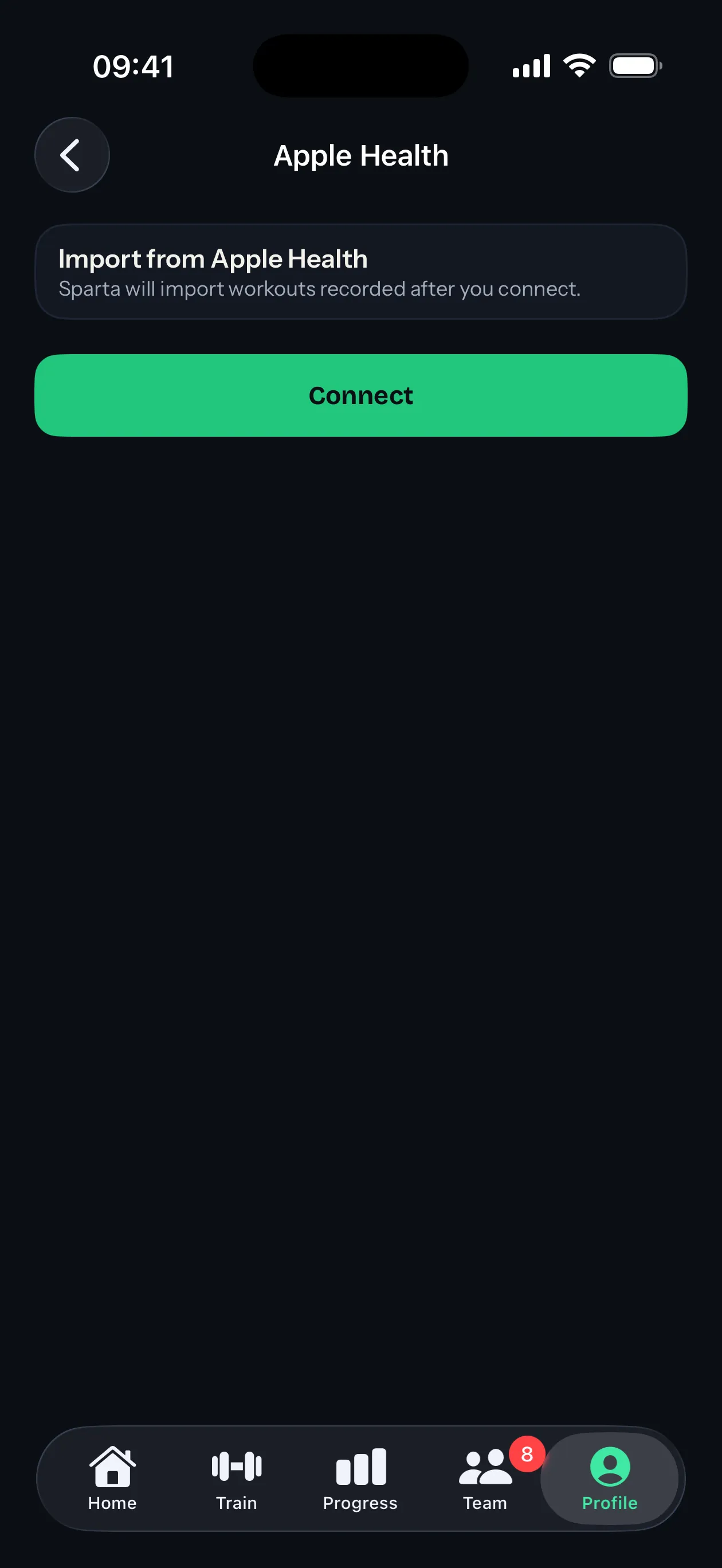
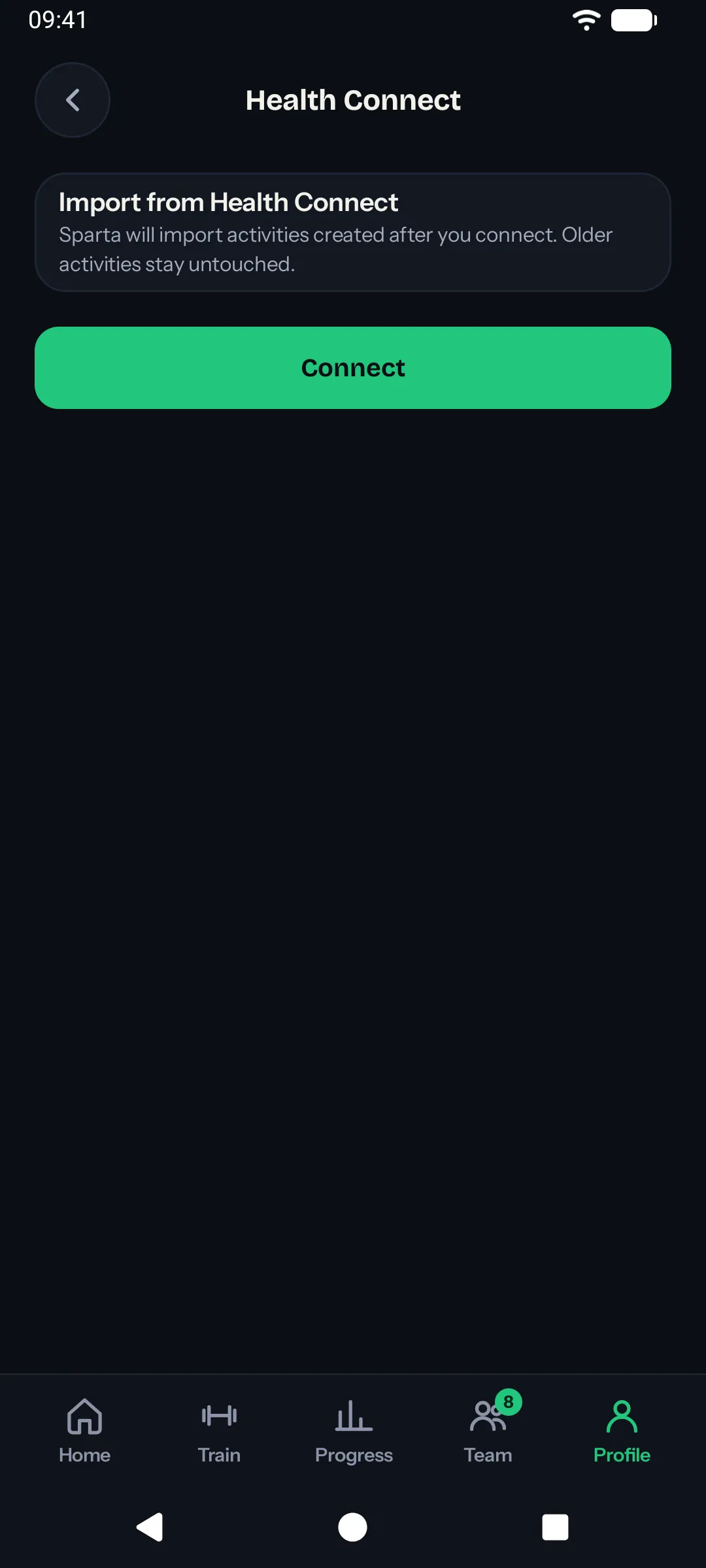
That’s it. The next time you record a run on Strava or a ride on Garmin, it shows up in Sparta when you next open the app.
On Android: Health Connect
Step 1. Open the Health Connect app. On most newer Android phones it’s already installed. If you can’t find it, search for “Health Connect” in the Play Store and install it. It’s made by Google and it’s free.
Step 2. In Health Connect, tap App permissions. You’ll see a list of the fitness apps on your phone.
Step 3. Tap your fitness app (Samsung Health, Strava, Fitbit, Garmin Connect, etc.) and turn on the toggles for Exercise under “Allow to write”.
Step 4. Open Sparta Fitness, go to Profile → Health Connect and tap Connect. Allow the permissions when asked.
Done. Your workouts from other apps now show up automatically in Sparta.
Supported apps
If the app writes workouts to Apple Health or Health Connect, Sparta can read them. That includes:
- Strava
- Samsung Health
- Fitbit
- Garmin Connect
- Nike Run Club
- Adidas Running (Runtastic)
- MapMyRun / MapMyRide
- Peloton
- Apple Fitness
If you don’t see your app here, check inside the app’s settings for a section called “Permissions”, “Health”, “Apple Health” or “Health Connect”. If it’s there, you’re good to go.
What gets imported
Not every activity a watch logs is imported, so a stroll does not become a free active day.
- Only workouts recorded after you connect. Nothing from before the connection is pulled in.
- Runs and treadmill runs come in as runs, with distance when the source has it.
- Strength training comes in as a strength workout.
- Cycling, hiking, swimming, rowing, yoga, pilates, boxing, team sports and similar come in as sports.
- Walking is skipped. Phones and watches detect small walks on their own. Log a walk by hand if you want it to count.
- Short sessions are dropped. Anything under 2 minutes is ignored. Runs need at least 5 minutes and half a kilometer, outdoor rides 10 minutes and 2 km and other sports 10 minutes.
When the same session reaches your phone twice, say Strava and your watch both wrote it or you logged a workout in Sparta while your watch recorded it too, only one copy survives. A workout you logged in Sparta always wins over an imported one.
Troubleshooting
Workouts don’t show up right away. Some apps only send workouts after the activity is saved and uploaded. Give it a minute or two, then re-open Sparta. You can also tap Import now in the Health settings screen.
I don’t see my app in Apple Health or Health Connect. Open that app and look for its “Health” or “Permissions” settings. You usually need to turn on the connection from the app’s side first.
Something’s still not working. Email us at [email protected] and we’ll help you get set up.