
Activities
Log runs, sports and quick check-ins that aren't structured workouts.
Not everything you do is a structured workout. Activities are the catch-all for runs, sports and quick “I trained today” check-ins. They count toward your active days exactly the same as a full workout session.
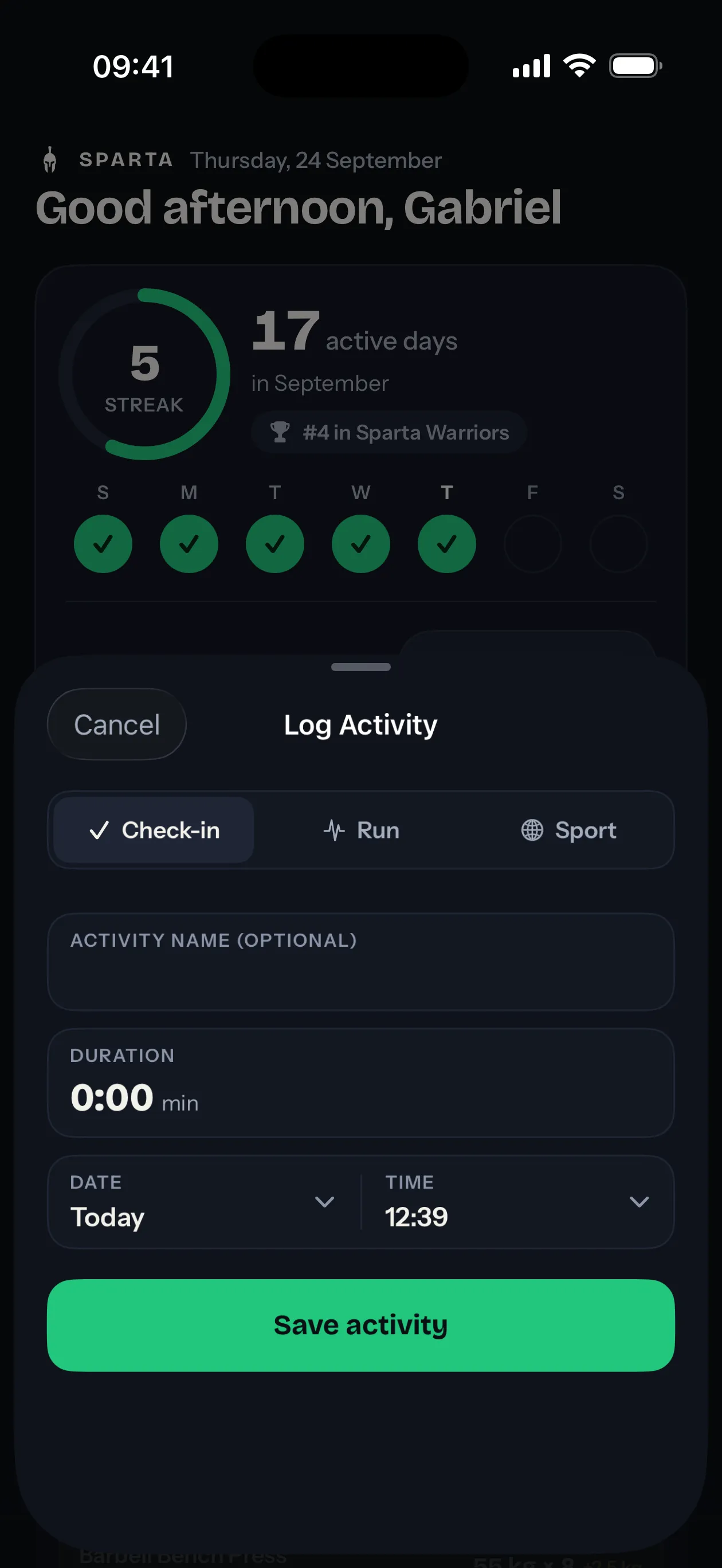
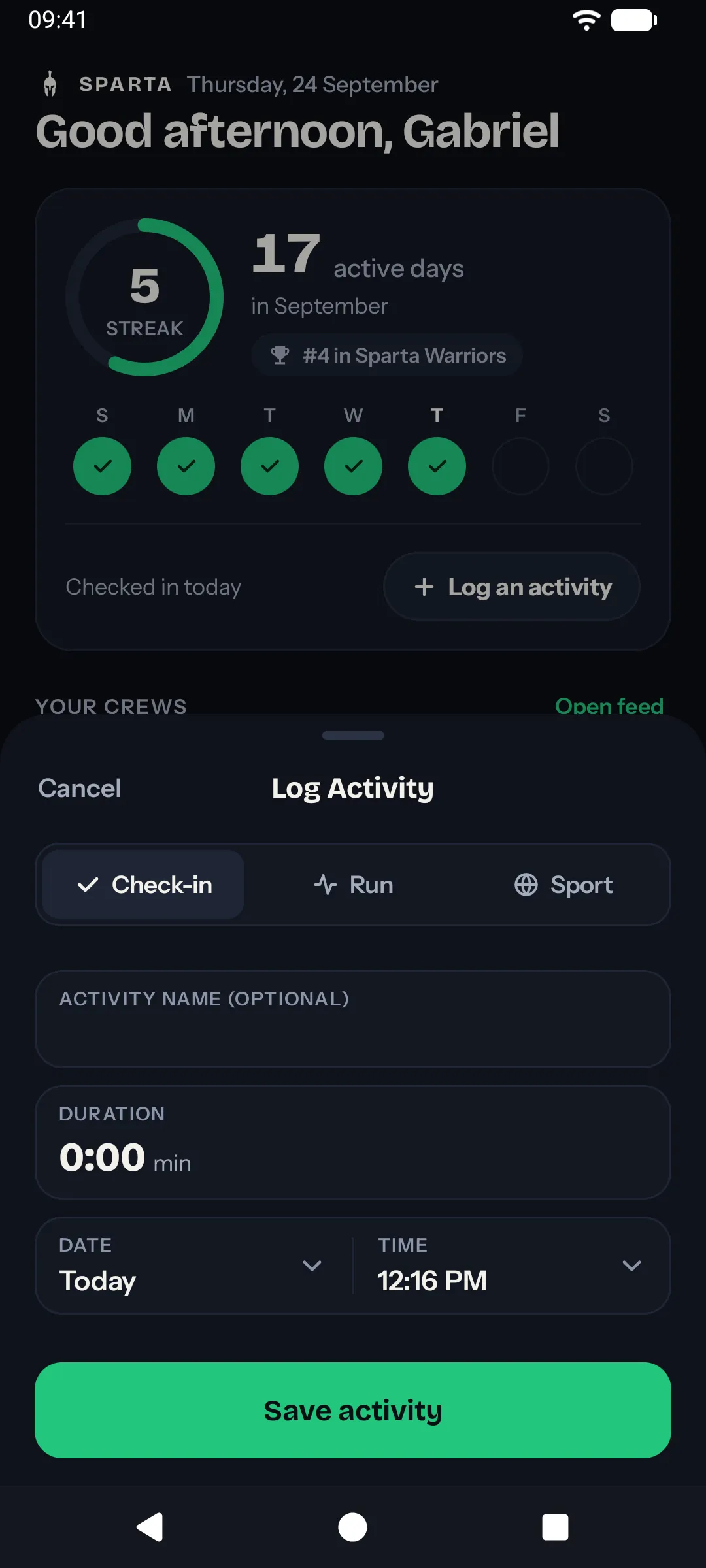
You log them with Log an activity on Home, right under the week row.
Activity types
The sheet has three types across the top.
Check-in
A free-form entry for “I trained today”, whatever it was.
- Name (optional).
- Duration (optional).
Leave the name empty and it shows up in the feed as a plain check-in. That’s the standard daily check-in: open the sheet, tap Save activity, done.
Run
A run you did outside the app.
- Distance in kilometers (optional).
- Duration (optional).
If you record runs in Strava, Nike Run Club, Garmin or any app that writes to Apple Health or Health Connect, you usually don’t need to log them by hand. They’ll appear automatically. See integrations.
Sport
Anything that’s not a run and not a strength workout: football, climbing, swimming, padel, yoga, surfing.
- Sport name, like “Padel” (optional).
- Duration (optional).
Same rule as runs: if your watch or sport app writes to Apple Health or Health Connect, you don’t have to log manually.
Retroactive logging
The sheet has a date and a time, with Today and Yesterday a tap away. Set it to any past date to log something you forgot.
This is the only way to extend your streak after the fact. If you missed logging yesterday but you actually trained, open the sheet, pick Yesterday and save. The day now counts.
You can’t log into the future. There’s nothing to count.
Active days, leaderboards, streaks
Every activity you log counts as one active day for its date, the same as a workout session. See ranking and streaks for how active days roll up.
Multiple activities on the same date don’t stack. A day is either active or it isn’t.