
Progress
The calendar of everything you've logged, plus progress charts and stats.
Every workout, activity and check-in you log shows up on the Progress tab. It has three views: a Calendar of what you’ve actually done, Exercises with a chart and records for each one and Stats for your streaks and active days.
History is per-account, so it follows you to every device you sign in to. What you log here can also appear in your groups’ social feed, at whatever level of detail you pick in your sharing settings, including not at all.
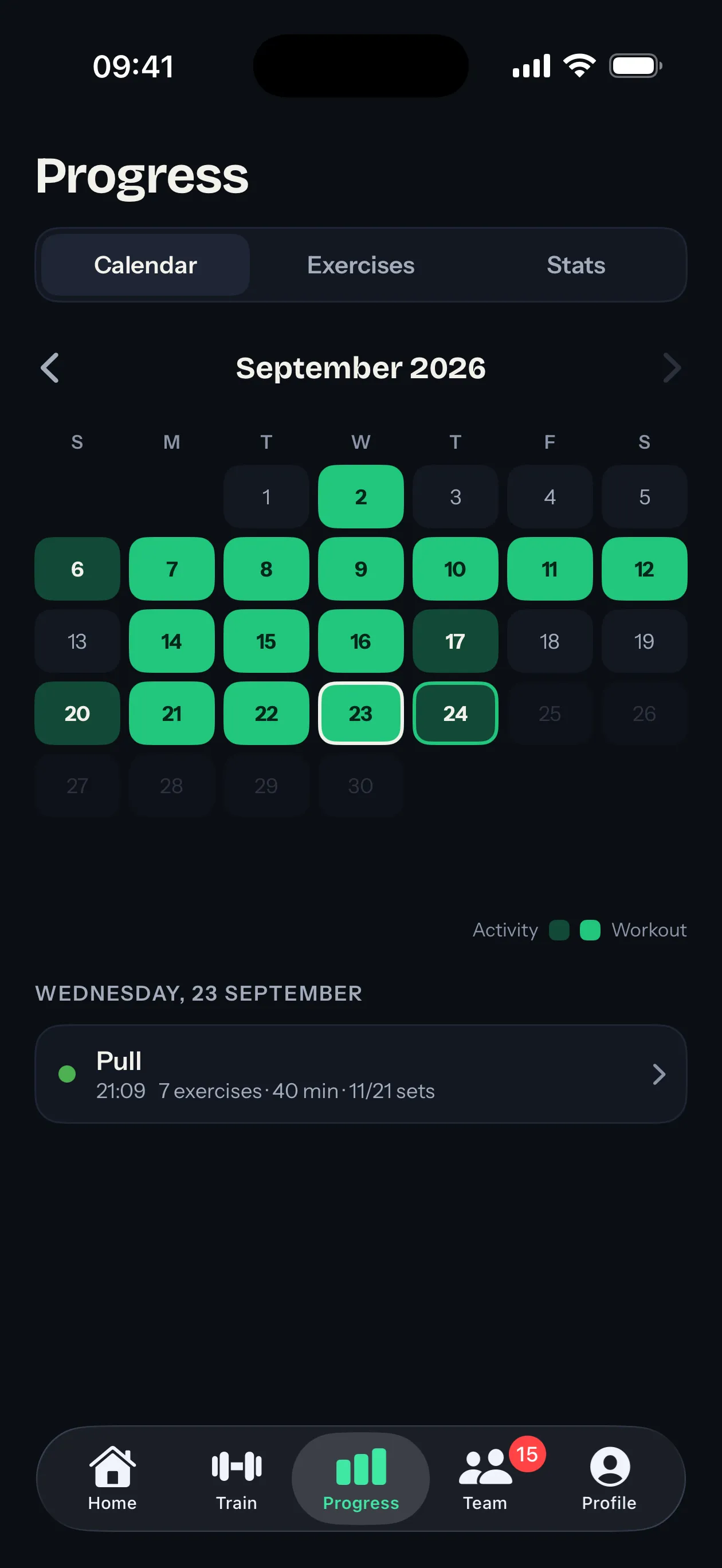
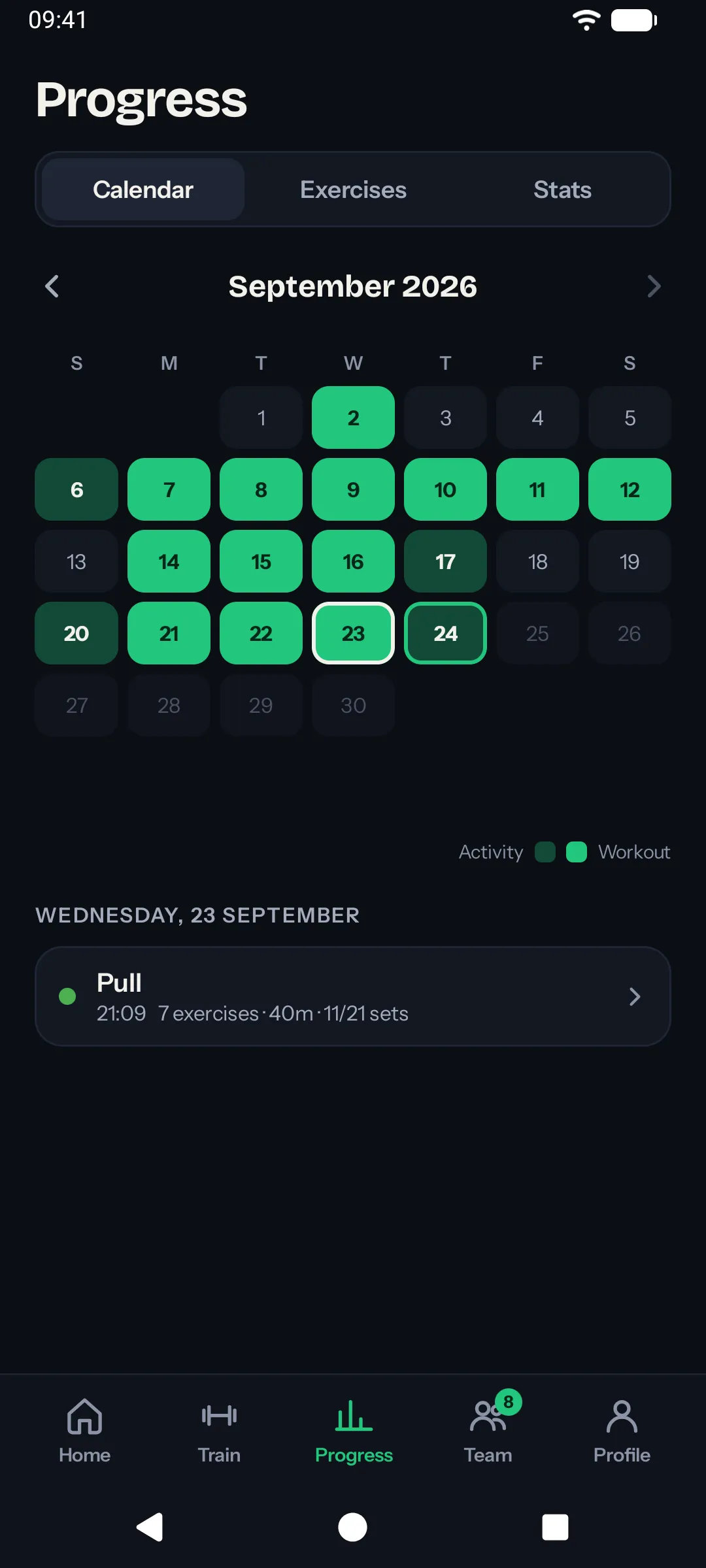
Calendar
Every day with an entry is filled in, workout days in green and days with only other activities in a darker shade. Tap a day and its entries appear underneath, each marked with the color of its workout. The calendar includes:
- Workouts you completed from a template, with weights, reps, durations and the workout’s name and color.
- Activities you logged directly: runs, sports and quick check-ins. See activities for the full list.
- Workouts imported from Apple Health or Health Connect (Strava runs, Garmin rides, Samsung Health strength sessions and so on). See integrations for setup.
Each entry shows its date, its type and any details that apply (distance for a run, duration for a sport, the workout name for a session).
Exercises and Stats
Exercises lists everything you’ve trained. Open one to chart it: your best session, heaviest weight, most reps or longest set over the period you pick, with your all-time record drawn as a line. It’s part of Sparta Pro and explained in records and progress.
Stats sums up the year: current and longest streaks, active days per month and your best months.
Browsing past months
The calendar opens on the current month. Use the chevron arrows to step back through previous months.
You can’t navigate to a future month. There’s nothing to show. The earliest month you can browse to depends on your platform but goes well back.
Editing or deleting an entry
Tap any entry to open it. From there you can:
- Edit the details (name, duration, distance, date).
- Delete the entry if it shouldn’t be there at all.
Editing or deleting an entry can affect:
- Your active-day count for that calendar date. If you delete the only entry on a given day, that day stops counting toward your leaderboard standing and may break your streak.
- Your monthly leaderboard standing in any groups where the change affects the month’s total.
- Your streak, if the deleted entry was the only thing keeping a day alive.
Changes sync to every device.
Retroactive check-ins
If you forgot to log something on a past day, you can still add it. Tap Log an activity on Home, pick the past date and save. The entry counts as if you’d logged it on the original day. See activities for what you can fill in.
There’s no limit on how far back you can log, but old entries can affect your standings and streaks for the months they fall into.
What’s next
- See the activity types you can log in activities.
- Learn how records and progression charts are computed in records and progress.
- Read about how active days roll up in ranking and streaks.